I implemented Dijkstra’s algorithm in order to determine how many moves it will take a program to get to a particular grid square. It will be useful both for enemy AI and displaying which squares are within the movement range of a program. It takes obstacles into account.
I made it display the numbers on the grid for illustrative purposes, and to make sure it was working. Each number is how many moves it would take the green slingshot program to get to that square.
I’ve made available a playable demo of Nightfall Hacker. Currently you can only move two different programs around a grid, but here it is. (I tried, but failed, to embed it in this page)
To play, select one of the spawn points, then select either Hack or Slingshot from the list. When you’ve spawned some programs, click the start button. To move a program, click it, then click one of the highlighted squares to move to it.
This was more challenging than the prior parts, but I have sectors working properly, including the joints between them and allowing the player to move the head of the program through its own sectors, which was a difficult mechanic to get right. Obligatory video:
I did this by storing the position of each sector in an array, in chronological order. It pops the last sector from the list if the length of the array is greater that the maximum program size.
For the joints/squares that connect each sector in the same program, I iterate through each sector position and, if two squares are adjacent in a row or column, draw a translucent rectangle between them. With every move, I clear them and redraw them. There might be a more efficient way to do it, but I couldn’t be bothered to work it out.
Not only have I made the programs move, I’ve also made them avoid other programs and empty squares. See the video:
I did this by storing the layout of the grid in a 2-dimensional array. When the player selects a program, the script gets the 4 surrounding spaces, determines which of them are empty squares, and displays the movement overlay squares accordingly. When the player clicks on one of those squares, it clears them, moves the program node to the clicked square, updates the level array, and repeats the process.
Because it also builds the level from the level array at the start of a battle, people should be able to make their own levels by editing a text file. I might add a level editor at some point.
Next I’ll work on either limiting the movement based on the program’s speed, or adding sectors to the programs.
I’ve written some of the code that displays information on the in-battle interface depending on which program is selected. See the video:
I haven’t done the description of the actions at the bottom of the panel yet. That is slightly more complicated, and I might do that after I finish the actions themselves. I also demonstrate the option to move the panel to the right or left of the screen.
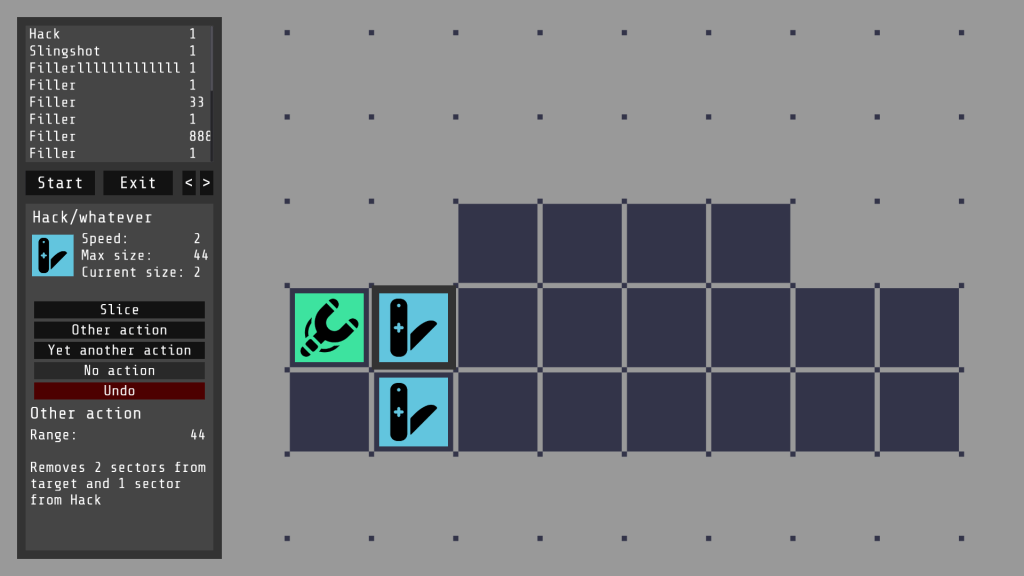
I used Godot’s GUI skinning ability to create an in-battle interface. It looks like this:
Don’t mind the placeholder text. I think most of the content is self explanatory. The list at the top can be used to spawn programs at the start of the battle, with the number to the right of each being the quantity available. The arrows to the right of the exit button can be used to move the interface to the left or right of the screen.
Up until now, my Nightfall Incident inspired game has been unnamed. I’ve been thinking about it, and probably want something with “night” or “nightfall” or similar in the title to allude to the original. Also, it’s a hacking game, so something related to hacking would be appropriate.
Bearing that in mind, my favourite option is Nightfall Hacker. Like everything else, it might change, but I need a name, so I’m going with that one.
I’ve gotten as far as adding the spawning mechanic. Here is a demonstration:
I also demonstrate the ability to move around and zoom the grid. This will allow more versatility and bigger levels, without making the squares unusably small.
The colours and icons are subject to change, although I quite like the monochrome filled in style. The list on the left and “Start battle” button are currently in Godot’s default style and font. I’ll definitely change those in the future. Currently the button doesn’t do anything except remove the spawn points from behind the programs.
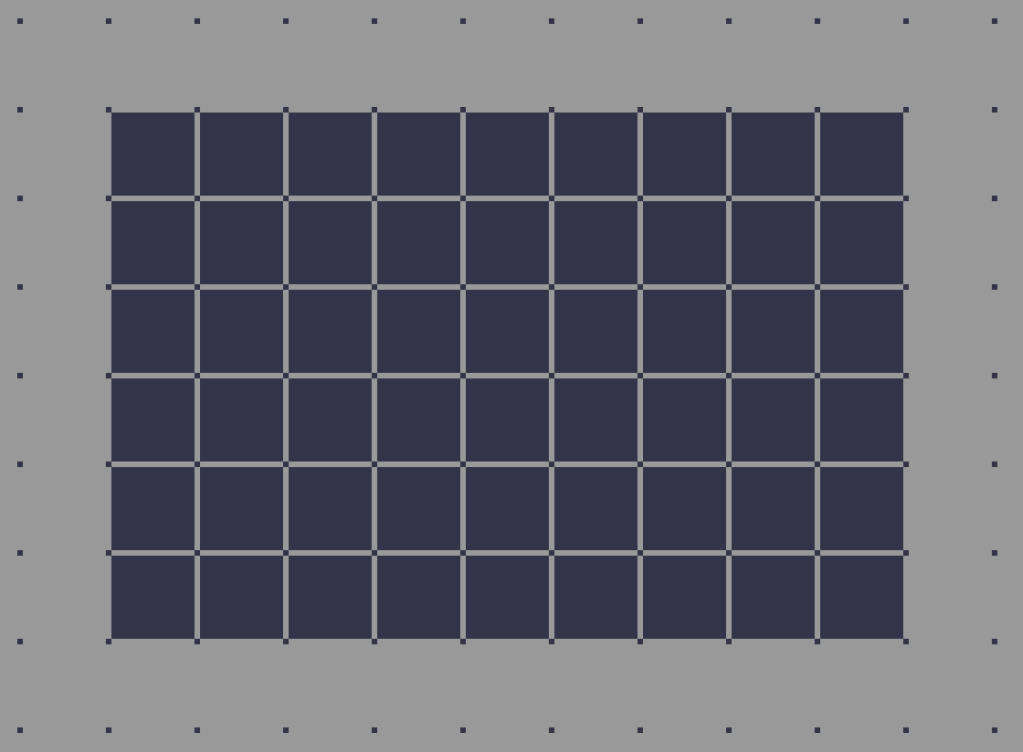
Making my Nightfall game, one of the first things to do is to design a grid for the databattles. I’m going for 256 x 256 pixel dark blue squares on a light grey background. However, after making a mock-up in GIMP, I faced an unexpected usability problem. Can you see it?
It might not be visible to everyone, but when looking at that grid, I see light grey dots between the corners of the tiles. (it might help if you zoom in) It’s a Hermann grid illusion. It’s very distracting and not intentional, so I have to get rid of it.
I found this question on UX Stack Exchange. I tried several of the things suggested in the answers. Moving the squares closer together made the gaps between squares less obvious. Moving them further apart, I had to move them a large distance to get rid of the illusion, and that ruined the look of the grid. I couldn’t offset them, I have to keep them in line because of the format of the game. When I tried changing the colours, I couldn’t find a combination that worked well and didn’t have the illusion. Any combination with enough contrast to make the grid easily visible also produced the illusion.
I looked at how the original game does it. I don’t know if it’s deliberate, but it looks like it uses a combination of a patterned background and varying the colour of the squares to break up the illusion. It’s still visible to me if I look closely.
Varying the colour of the squares would make it harder to build levels, and I don’t really want to add a patterned background. I eventually found a different solution. I put another grid of small squares underneath, so that they fill the area between the corners:
This eliminates the illusion, and has another advantage: Bit-Men. In The Nightfall Incident, the Bit-Man is a program you can use to add and remove squares from the grid. The small sub-grid makes it easier to see where Bit-Men will place new squares. This is my favourite solution by far.
In 2002, Lego launched a range called Spybotics. These were spy robots. You could load up “missions” on your computer and complete them with the robot in the real world. To accompany them, they published a game on their website called The Nightfall Incident. In it, you work for a fictional organisation called S.M.A.R.T, and hack into different nodes across the net with “databattles” – turn based strategy battles.
It’s a very good game, especially considering it’s a small online game made to sell products. I replayed it recently and really had to think about my strategy in the battles, making victory rewarding. Lego took it down from their site years ago, but it’s still available at Jay Is Games. However, because it was made in 2002, it uses Shockwave. Shockwave was discontinued and doesn’t work with modern browsers. You have to go to great lengths to find and use an old browser, then install Shockwave on it, making it inaccessible for most people. In addition, it uses an obscure, small resolution (650 x 420 according to the above video) meaning the game window is tiny on high resolution screens, reducing usability.
The solution to all of these is to create a new game inspired by/based on The Nightfall Incident. I’m not the first to have this idea. There have been at least eleven attempts by other people to create things inspired by The Nightfall Incident, and almost all of them have been abandoned. It’s almost a running joke.
For my attempt, I’ll be using my favourite game engine, Godot, and documenting it on this blog. My aim is to imitate the mechanics of the original, so all the original levels can be replicated, while adding the ability to create levels, maybe new mechanics, and an updated, higher resolution UI. I can’t wait to be added to the list of failed attempts.



 Teradile's Blog