I’m posting less often now. I haven’t abandoned the game, I’m just concentrating my posts into fewer, bigger updates. This is one of them. I made a level editor, with several features. See the video:
This means that I’ll soon be able to devise a storyline and make levels, rather than just working on the mechanics.
One of my annoyances with The Nightfall Incident is the way that the program selection menu ends up getting cluttered. All your programs are listed in an arbitrary order, and you always have to scroll through it to find the one you’re looking for. To mitigate this in my game, I’ve added a search bar to the program menu:
As a side note, I had some trouble with the cursor. It was sometimes displaying and sometimes not, and I couldn’t work out why. I eventually worked it out, thanks to this post. Because I want the game to look good at high resolutions, I’ve set the window size to 4K. The cursor is one pixel wide, so when it scales down to run on my 1080p screen, the cursor is half a pixel wide. That meant it would sometimes round up to one pixel, and sometimes round down to 0 pixels.
For future reference (this is as much for me as it is for anyone else) I made the cursor wider and fixed it by doing the following:
Downloaded and extracted the Godot source code from the releases page on GitHub
Opened godot<version>/scene/gui/line_edit.cpp
Found where the caret_height variable is assigned on line 768:
int caret_height = font->get_height() > y_area ? y_area : font->get_height();
Made my own variable underneath it called caret_width, with a value of 4:
int caret_width = 4;
Found the other lines that refer to caret_height, and anywhere it was in brackets with either 1 or Math::round(EDSCALE), replaced that with caret_width. For example this line:
The cursor is now four pixels wide in the game’s native 4K, which makes it a comfortable 2 pixels wide on my screen. It should be one or two pixels wide on 1366×768 screens, and really, who has a screen smaller than that in 2020? It also applies to the text boxes in the Godot menus. It might be possible to fix that, but I couldn’t be bothered to compile it again.
The original Nightfall Incident features credits. That’s an in-game currency that you can pick up from the grid in-game and use to buy more powerful programs. A few levels also have data items, which means you have to win by collecting the item rather than by defeating all the enemy programs. In my opinion The Nightfall Incident doesn’t use them very well, but they could have more potential for creating interesting levels. I have implemented both. At the moment the currency pick-ups just print their value in the debugging window, but in the future I’ll make them add to the player’s bank. They look like this:
Before now, I was storing each level in a two-dimensional array. This worked, but it had a problem. Once the level was built, there was no easy way to add squares to the top and left, and I eventually would have needed to solve that to implement Bit-Men and other programs that might add squares to the grid. I got around that by preemptively adding hundreds of empty squares to the edge of the array. Needless to say, this wasn’t ideal. It inflated the array, and the size of the grid was still limited.
I’ve now switched to using a dictionary, with each square indexed by its position. This means I can use negative numbers, which allows me to expand the grid indefinitely without adding superfluous elements. It’s a much better solution.
Also, if you’re reading this blog (and not a lot of people read this blog) then you might be wondering why my posts have slowed down recently. I think it’s because, near the beginning, there were a lot of big but relatively short tasks I could do, and progress was very visible. Now that I’ve gotten most of the low-hanging fruit, I’m left with tasks with a lower effort:result ratio, so each one takes longer. The law of diminishing returns.
I’ve been rewriting the enemy AI to try to make it more intelligent. My first thought was to take a holistic approach and have a brain that considers where all the player programs are, and decides how it can use all its programs to cause the most damage. However, when writing it, I discovered it was more difficult than I expected.
It’s easy enough to see what each program can do individually given the state of the grid, but of course the grid changes whenever a program moves. The script might determine that two of its programs could both attack one big player program to kill it, but after moving one of them, its trail of sectors gets in the way of the other program’s route, or when it attacks it removes the sector that the other program would have attacked.
I considered brute forcing it and iterating through all possible moves to find the best one, but because of the power of exponential increase, there could have been tens of millions of possible moves, which would have taken a long time to get through. Imagine playing the game, ending your turn, then waiting for 20 minutes on a still grid while the enemy works out what to do. I decided the holistic approach is more trouble than it’s worth, and instead did something more similar to the old AI, moving programs one by one.
It’s not a complete loss. The new AI considers the order in which it moves programs, and moves the ones with only one reachable player program first. This gets the easy decisions out of the way and narrows down the choice for the programs with more targets. The old AI moved programs in an arbitrary order. The new one also moves programs more if they can’t get to any player programs because of islands or barricades.
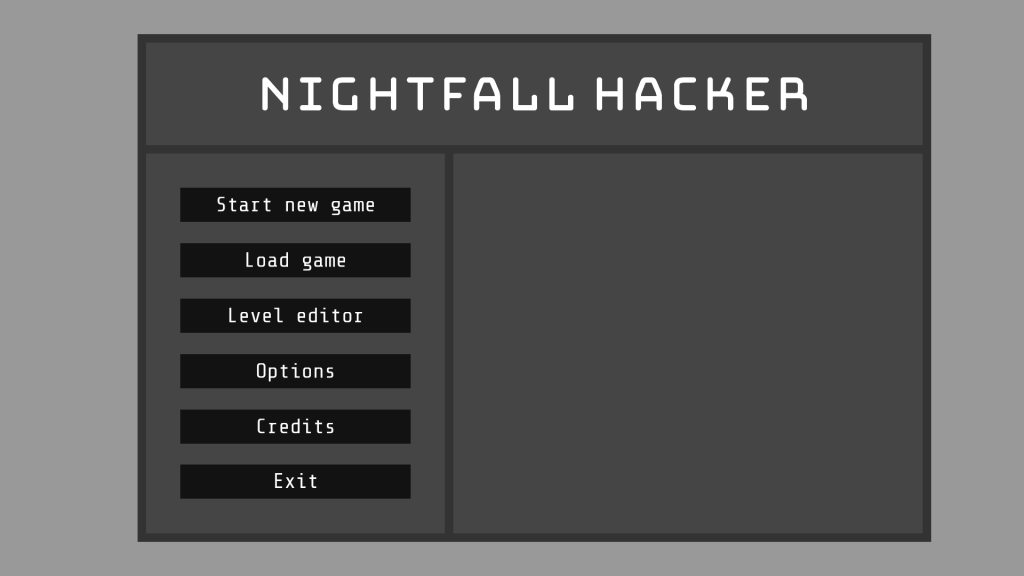
I’ll soon be releasing a demo with playable levels. That demo needs a title screen that introduces the game, so I thought it was a good opportunity to create a logo. It looks like this:
I couldn’t find a font that worked well, but Bungee Hairline came close. I liked it, but felt the weight was too light. The only thicker style, just called Bungee, was much too heavy, so I typed the title out in Hairline and expanded it in GIMP. The corners are more rounded than in Bungee, but I think it works. I considered making a vector or editing the font, but I’m much more familiar with GIMP.
I’ve been making some playable levels so I can publish another demo. All of the levels before now have had programs spawning with only one sector, the head, and only gaining sectors when they move. This has made it easy to add sectors to the back of an array so they can be removed when a program is attacked.
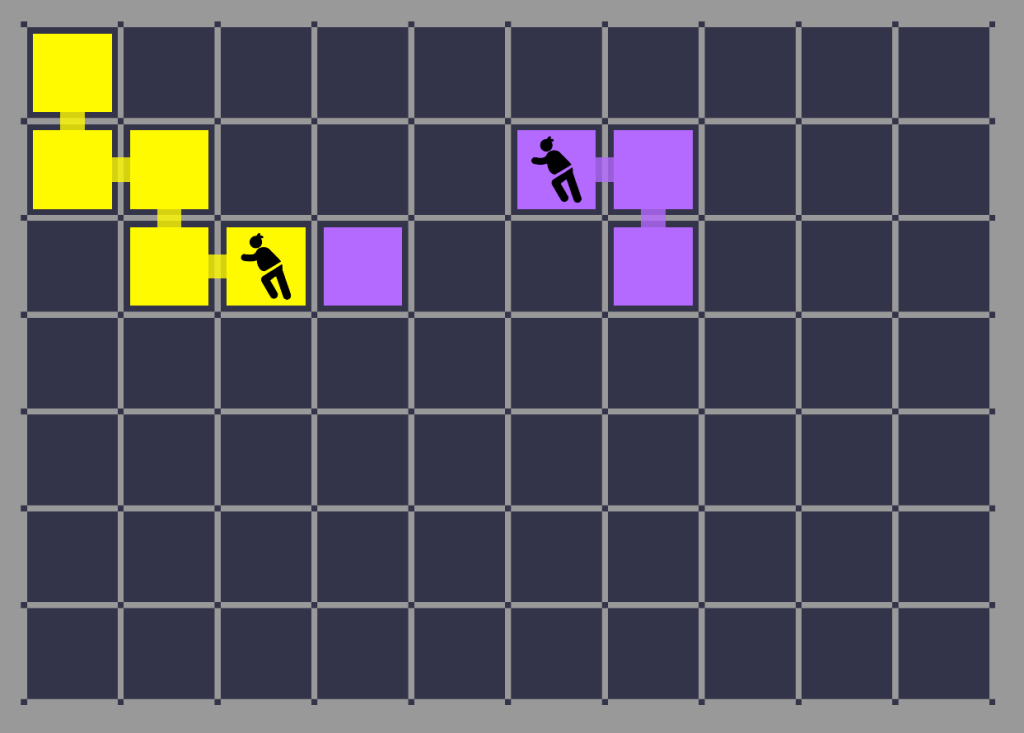
Some of the levels I’m making have programs spawning with many sectors. I initially solved this by adding sectors to my two dimensional level data array, then adding those sectors to each program’s sector array when I iterate through the level data to build the level. This worked, but was flawed. It would usually add sectors in the wrong order, meaning if a program was attacked before it had replaced all its sectors by moving, it could be left with floating sectors not connected to the rest of the program:
The purple sector to the right of the yellow program is part of the purple program on the right. It can be attacked and functions just the same as the other sectors, but isn’t attached to the program. This might create a mess of floating sectors that detracts from the game.
My solution is to use my Dijkstra function to work out how far each sector is from the program’s head, then arrange them so the furthest get removed first. It looks like this (bear in mind the program’s head was in the top-right corner when it spawned):







 Teradile's Blog